Getting Started
Need a view counter for a GitHub README, blog, or personal site? Tally API gives you a hosted counter endpoint with no signup and no backend to manage. If you prefer, you can also deploy the same stack to your own Cloudflare account.
Why Tally API
Tally API started as a simpler replacement for a counter stack built around LeanCloud, MongoDB Atlas, and Moe Counter. When LeanCloud announced the end of its public service in January 2026, moving the storage layer to Cloudflare KV became the cleaner long-term option.
Unlike Moe Counter, Tally API also exposes JSON. You can keep the familiar SVG badge for Markdown, or build your own UI around the raw count.
URL Structure
The API follows this format:
https://tally.yuki.sh/hits/:id/:resource[.format]:idis your namespace:resourceis the counter name inside that namespace
If you want to track visits to a GitHub README, you might use:
https://tally.yuki.sh/hits/github/readmeIf you want to track a blog post, for example https://blog.yuki.sh/posts/976864126ca2, you could use:
https://tally.yuki.sh/hits/blog/976864126ca2The public instance runs on a shared domain, so choose a namespace that is unlikely to collide with someone else's. A pattern like github@yourname works well, for example /hits/github@xueelf/readme.
If you would rather not rely on a shared service, follow the Deploy guide and run your own instance.
Read Counts as JSON
You can request JSON directly:
GET https://tally.yuki.sh/hits/docs/tally-api.jsonThe .json suffix is optional. If you omit it, the API still returns JSON by default. The response includes both the total hit count and the number of unique client IPs:
type Response = {
  visit: number;
  visitor: number;
};
That makes Tally API easy to integrate into your own components. The box below is rendered from a live API request:
Full component source:
<script setup lang="ts">
import { onMounted, ref } from 'vue';

const API = 'https://tally.yuki.sh/hits/docs/tally-api';
const visit = ref<number | null>(null);
const visitor = ref<number | null>(null);
const isFailed = ref(false);

onMounted(async () => {
  try {
    const response = await fetch(API);

    if (!response.ok) {
      throw new Error('Request failed');
    }
    const data: { visit: number; visitor: number } = await response.json();

    visit.value = data.visit;
    visitor.value = data.visitor;
  } catch {
    isFailed.value = true;
  }
});
</script>

<template>
  <div class="count-card">
    <span v-if="isFailed">Failed to fetch count.</span>
    <span v-else-if="visit === null">Loading...</span>
    <span v-else>Total API Hits: {{ visit }} / Unique IPs: {{ visitor }}</span>
  </div>
</template>

<style scoped>
.count-card {
  padding: 20px 24px;
  border-radius: 8px;
  background-color: var(--vp-code-block-bg);
}
</style>
Embed as SVG
If all you need is a counter badge in Markdown, SVG is the simplest option:
Preview:

You can switch themes with a query parameter:
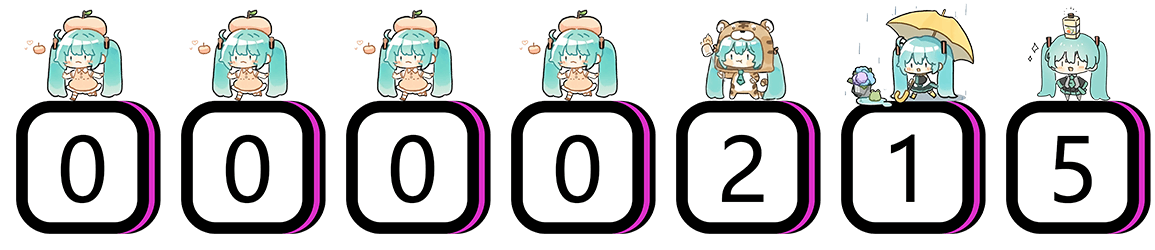For example:
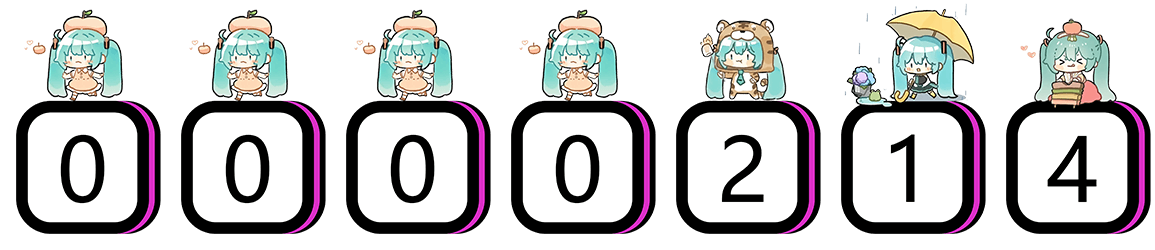
Tally API supports every Moe Counter theme, including moebooru, gelbooru, miku, and minecraft. See https://count.getloli.com for the full gallery.
If you want the image itself to be clickable, wrap it in a link:
[](https://github.com/xueelf/tally-api)Next Steps
For request rules, response formats, and error cases, continue with API Reference.